01
Faithful rendering
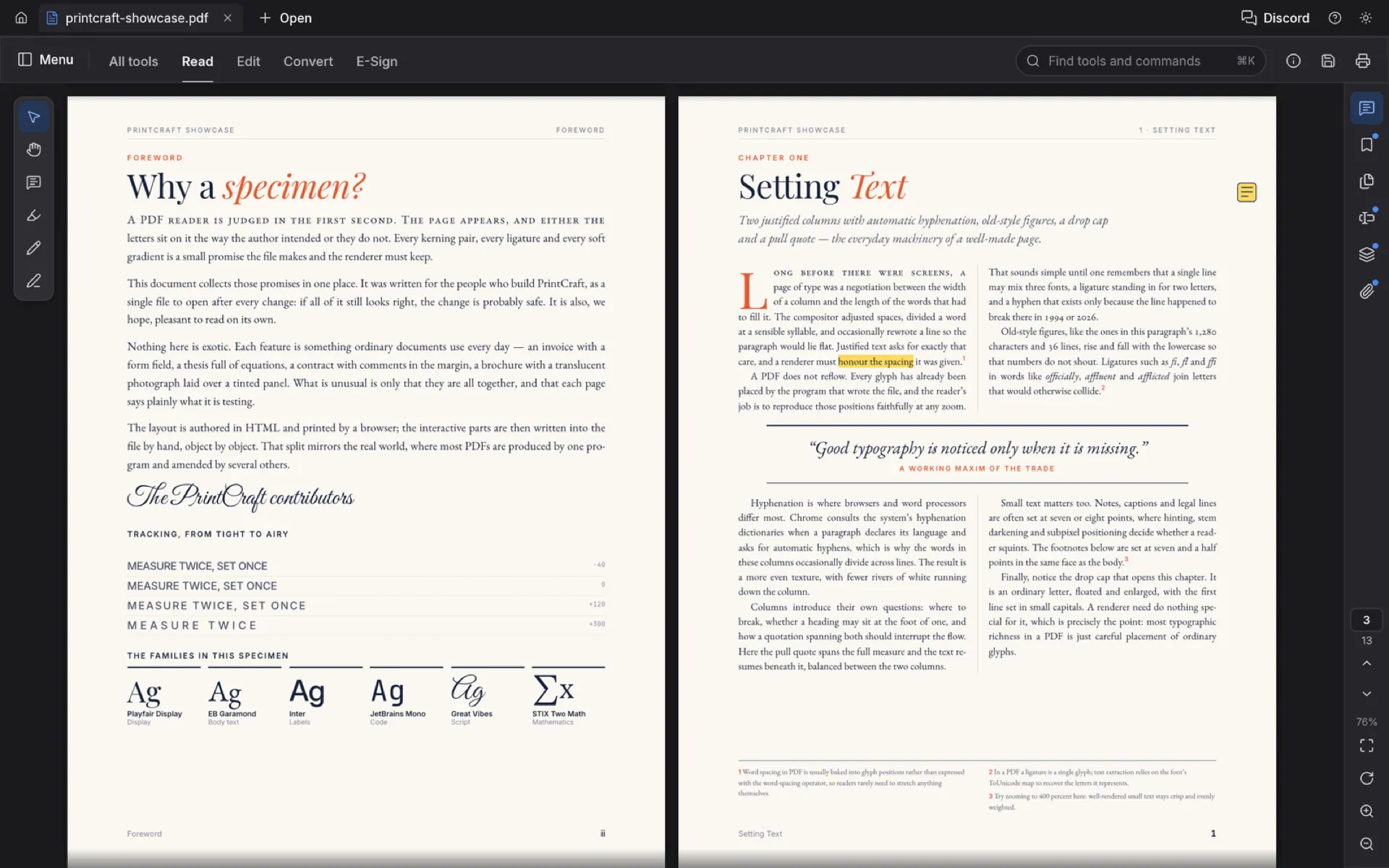
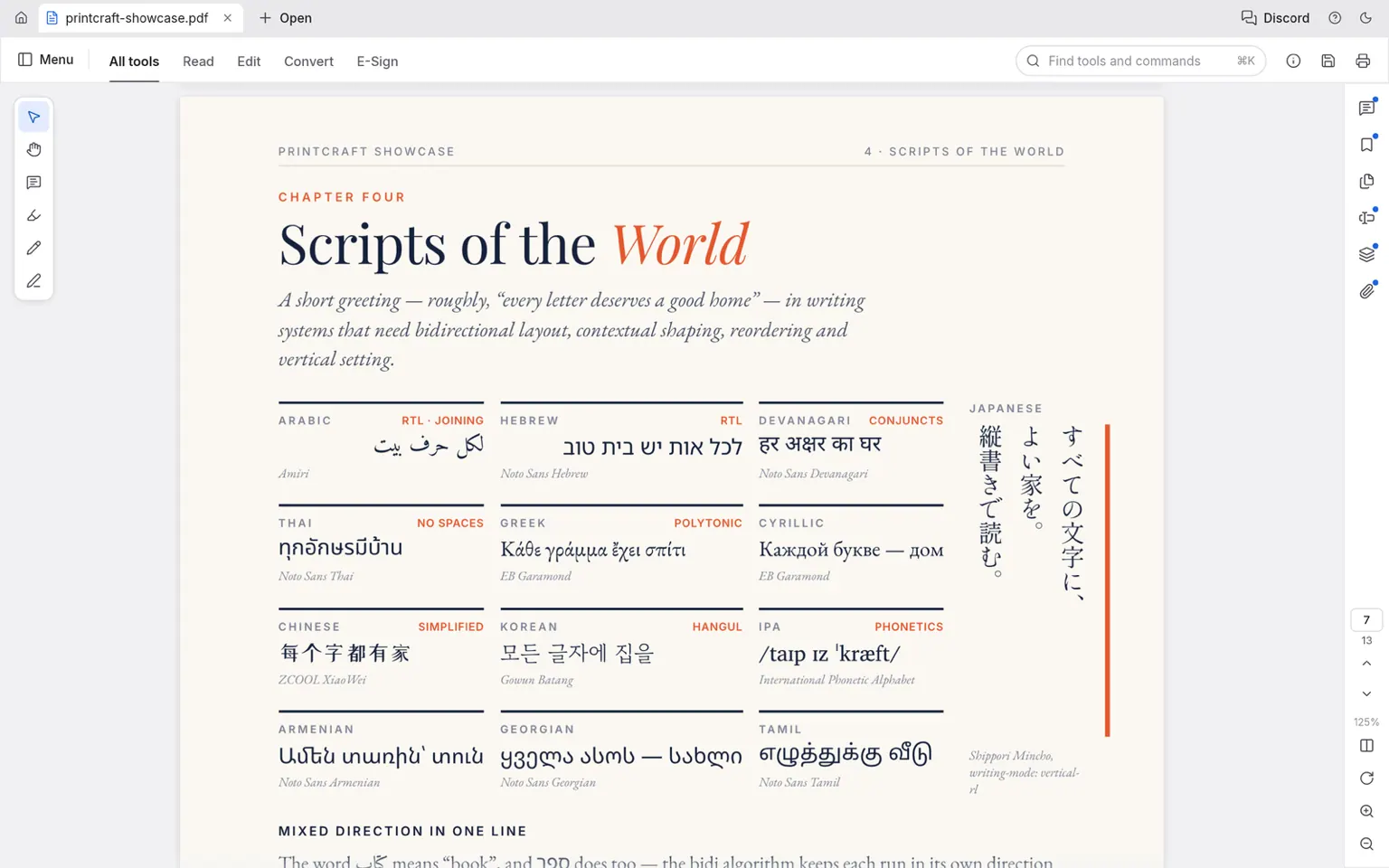
Kerning and ligatures, right-to-left and complex scripts, vertical CJK, colour emoji, shadings, blend modes, soft masks and optional content — tiled so deep zoom stays sharp.
01 / PdfCraft PDF workbench · Early alpha
01 PdfCraft
Read any PDF the way its author meant it to look — complex scripts, vertical Japanese, colour emoji, transparency — then organize pages, combine and split files, fill forms, comment and work with layers. A free, open-source Acrobat alternative written entirely in Rust and compiled to WebAssembly: no install, no account, never uploads your documents, and every save appends your changes while leaving the original bytes untouched. Open the PdfCraft editor — free and open source.
Runs in your browser — free and open source
02 / Características
01
Kerning and ligatures, right-to-left and complex scripts, vertical CJK, colour emoji, shadings, blend modes, soft masks and optional content — tiled so deep zoom stays sharp.
02
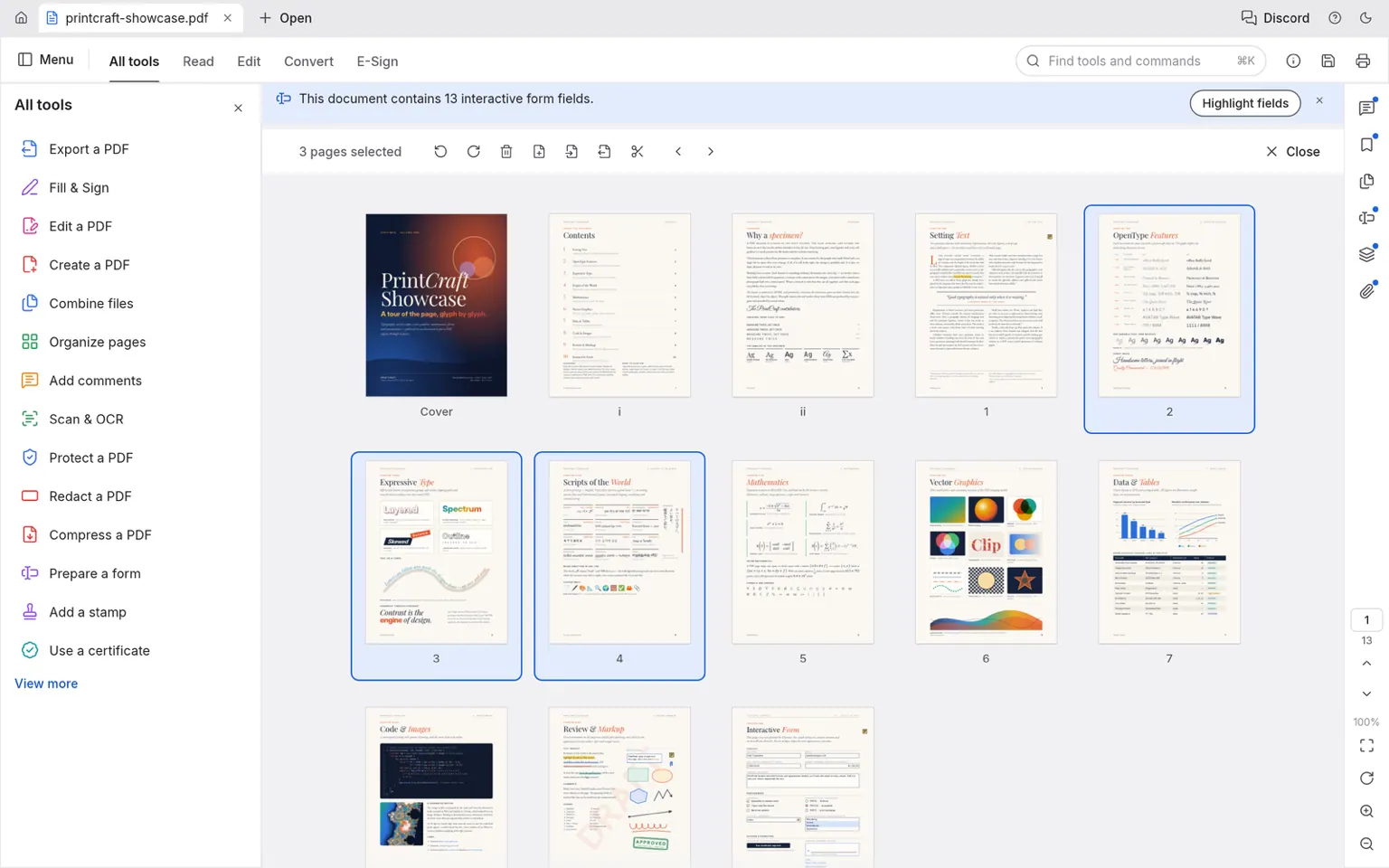
Reorder, rotate, insert and delete pages; combine files with bookmarks nested; split or extract with links rewired, form fields still interactive and layer defaults intact.
03
Every save appends your changes and leaves the original bytes untouched. Writes are atomic, undo runs deep, and nothing is lost if you close by mistake.
04
Fill every field type the way its author designed it; review with threaded comments, highlights and stamps; switch optional-content layers on and off with instant re-render.
05
Every tool is drivable through a JSON control protocol, and the engine ships an MCP server (pdfcraft-cli mcp) so Claude and other agents can read, organize and export documents headlessly.
06
Pages render in isolation and damaged documents are repaired where the standard allows — zero crashes across the 983-file pdf.js test corpus.
03 / Made for
01
Continuous, single-page, two-up and Read modes, view rotation and full screen; find text, select and copy across hundreds of pages.
02
Handle pages like cards on a table; merge reports with appendices, extract highlights, split archives — with every link and bookmark rewired, not dropped.
03
Threaded comments, highlights, shapes, ink and stamps; layers that separate draft watermarks and review-only notes from the printed page.
04 / Cómo funciona
PdfCraft boots in the browser — no download, no account, no subscription. Open a PDF straight from your device.
Continuous, two-up or distraction-free Read mode; deep zoom stays sharp because pages render in tiles.
Reorder, rotate, insert and delete pages like cards on a table; bookmarks and destinations follow the pages.
Fill form fields, add threaded comments, highlight and stamp; switch layers on and off to see exactly what prints.
Your changes append to the document — the original bytes stay untouched, writes are atomic, and undo runs deep.
05 / Capacidades
A PDF is more than page images — links, forms, layers and attachments all travel with it, and PdfCraft keeps them working.
| Capability | Support | Notes |
|---|---|---|
| PDF rendering | read | complex scripts, vertical CJK, colour emoji, transparency, soft masks, optional content |
| Combine | merge | each file bookmarked with its own bookmarks nested underneath |
| Extract / split | pages | links and named destinations rewired; forms stay interactive; layer defaults kept |
| Interactive forms | fill + inspect | text fields, checkboxes, radio buttons, lists and signature fields |
| Comments & layers | read + add | threaded conversations; optional content with per-layer defaults |
| Protected documents | open | passwords and permission rules respected, never stripped |
| Headless & scripting | CLI + MCP | pdfcraft-cli combine/extract/split; an MCP server drives it all from agents |
06 / Renderizado
Most in-browser viewers flatten text into approximations. PdfCraft renders with care for the details that make a page feel right: kerning and ligatures, right-to-left and complex scripts, vertical Japanese, colour emoji, shadings, blend modes and soft masks — the way the author intended, at any zoom.
07 / Capturas
08 / Obtener PdfCraft
The whole PDF workbench, compiled to WebAssembly — no download, no installer, no account. It boots like a web page and works like a native app.
Iniciar el editorInstall it as an app from your browser and PdfCraft keeps working without a connection — the shell, the engine and your last document are cached on your device.
PDFs open from and save back to your device; every save appends rather than rewrites. Nothing is uploaded — there is no server to upload to.
09 / Preguntas
Yes. PdfCraft is free and open source under MIT OR Apache-2.0 — no subscription, no licence server, no telemetry. The web app needs no account.
Yes. Combine any number of files into one — each keeps its bookmarks, links and form fields — and split a document every n pages or before chosen pages. Extract copies just the selected pages, with destinations rewired.
Kerning and ligatures, right-to-left and complex scripts, vertical Japanese, colour emoji, shadings, blend modes, soft masks and optional content all render the way the author intended, with tiled rendering that stays sharp at deep zoom.
Yes — every field with its current value, field highlighting, and checkboxes, radio buttons, lists and signature fields drawn the way their author designed them.
Comments appear as threaded conversations; highlights, shapes, ink and stamps are part of the review and markup toolset, and layers can separate review-only content from the printed page.
Every save appends your changes and leaves the original bytes untouched. Writes are atomic, undo runs deep, and nothing is lost if you close by mistake.
The engine speaks a JSON control protocol and ships an MCP server (pdfcraft-cli mcp), so Claude and other agents can read, organize and export documents headlessly. The hosted gateway for this browser build is on the roadmap.
Yes — it opens protected documents and respects their rules: printing and copying restrictions are honoured, not stripped.
Yes. Install PdfCraft as an app from your browser and the shell, the engine and your last document are cached on your device; reading and editing continue without a connection.
No. The editor runs in the tab; documents open from and save back to your device. There is no server to upload to.
Every page renders in isolation and damaged documents are repaired where the standard allows. Across the 983-file pdf.js test corpus the result is zero crashes.
10 / La familia
PdfCraft is one of a family of open crafting tools.
Read, organize, mark up and save — in a tab, for free.
Empezar